English
English

SalesDash can accept webhooks from any system using the generic "Webhooks" provider. This page exaplains how you can configure these webhooks in any system that supports HTTP webhooks.
Before starting, please read the general principles for providers.
Webhooks are always interpreted as upserts, which means that any call to a webhook will update or create a record based on the ID supplied in the payload.
Most records (sales, calls, activities, etc.) have relations. Sale records, for example, must have an agent and a proposition.
In the example of a sale, you must supply at least an agent_id and a proposition_id. These values must represent the ID's of these entities in your system, not the ID's these entities may have in SalesDash. If either of those values is not recognized, the call will fail.
If you supply, for example, an agent_name in your payload, SalesDash will upsert an Agent External Identity with the supplied ID and name. This new external identity can then be linked to the correct SalesDash entity via Providers > Unlinked External Identities in the SalesDash admin.
For more information about external identities, please refer to their section in the general principles.
To start making webhook requests, you will need a webhook provider. You can create this provider via Providers > Providers in the SalesDash admin.
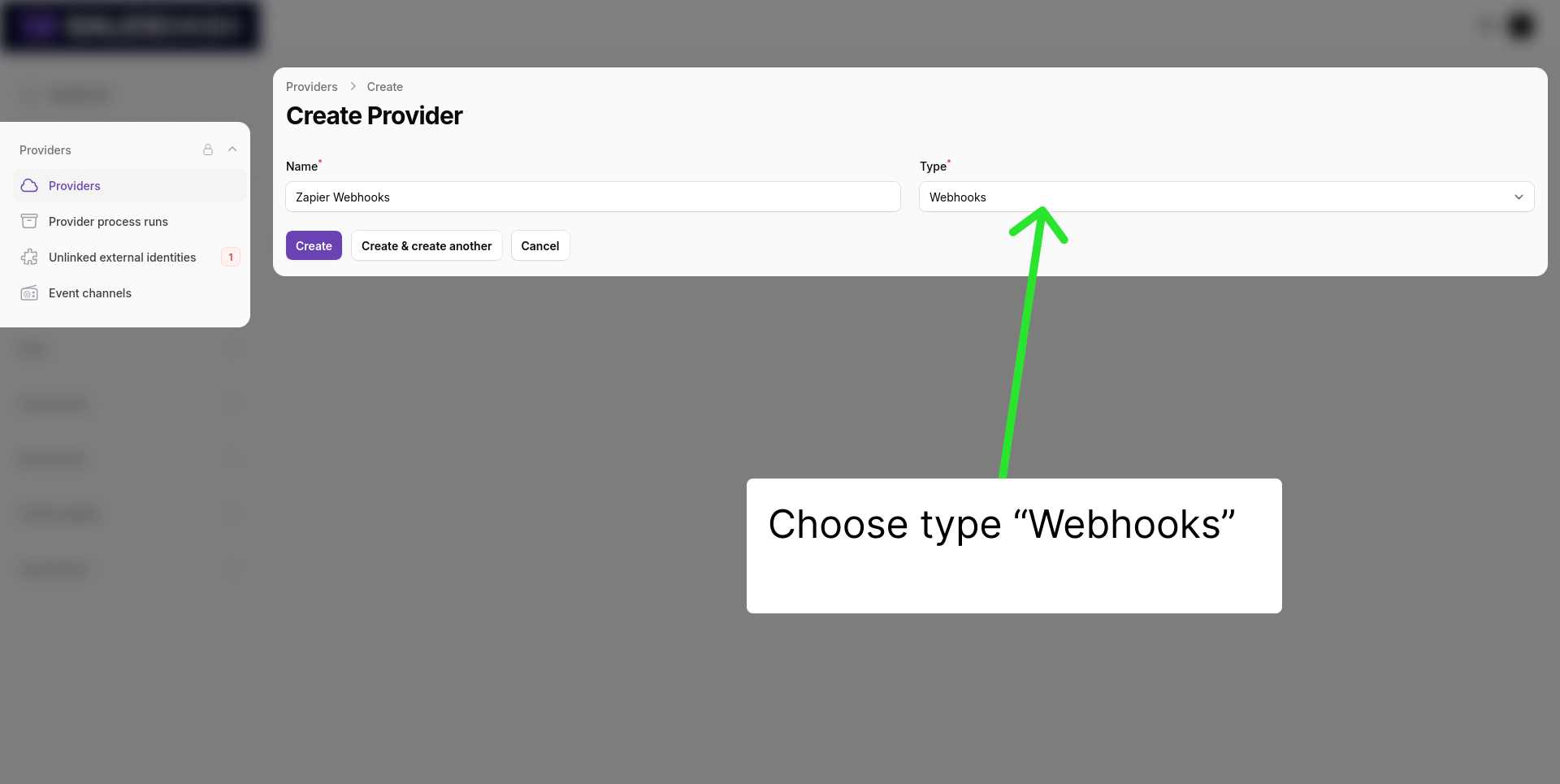
Click "New provider" and give it a sensible name like "Zapier webhooks". Choose the type "Webhooks", which should be near the top of the list.
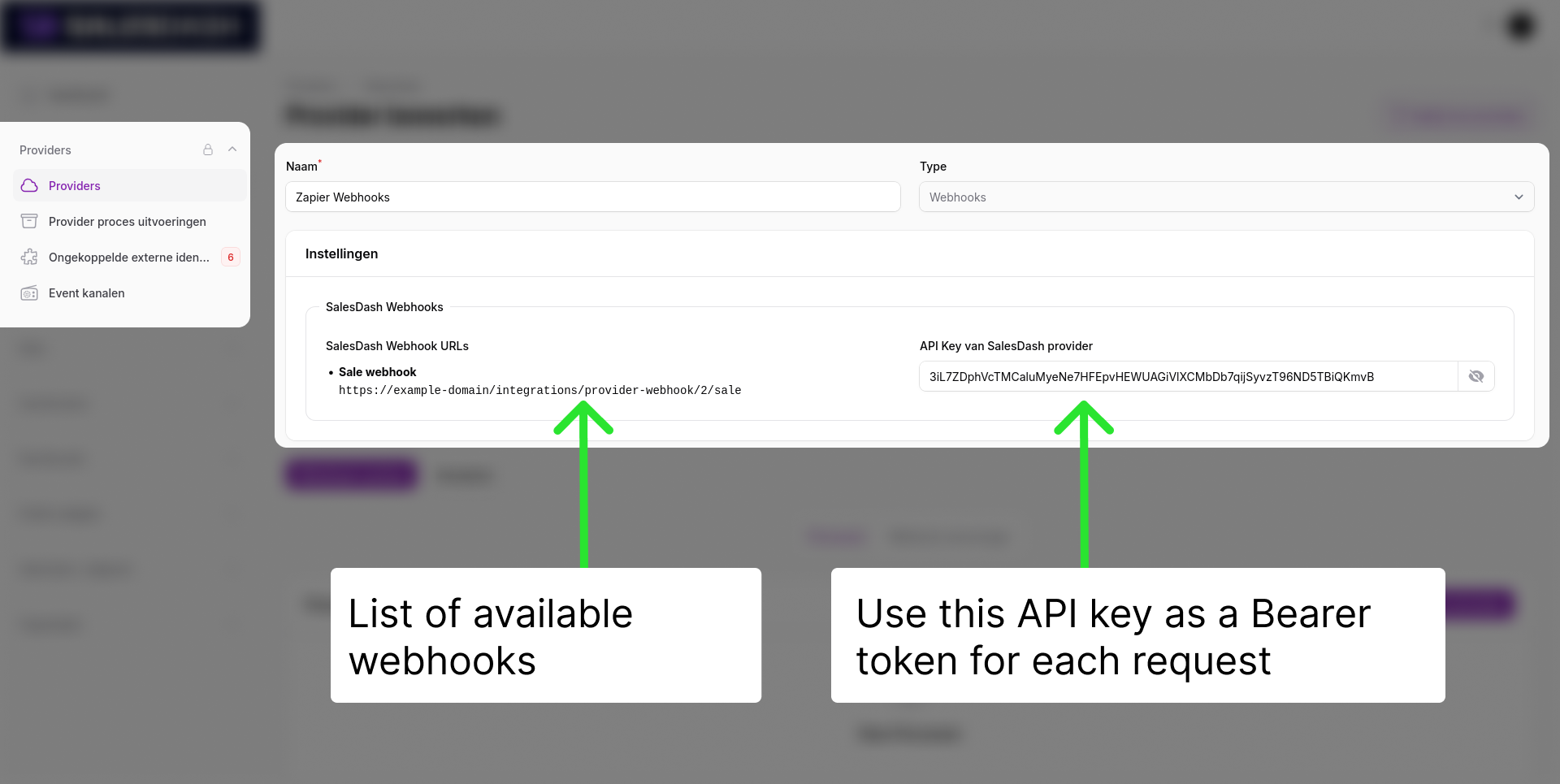
After you click "Create", you will see one or more webhook URL's and an API Key.
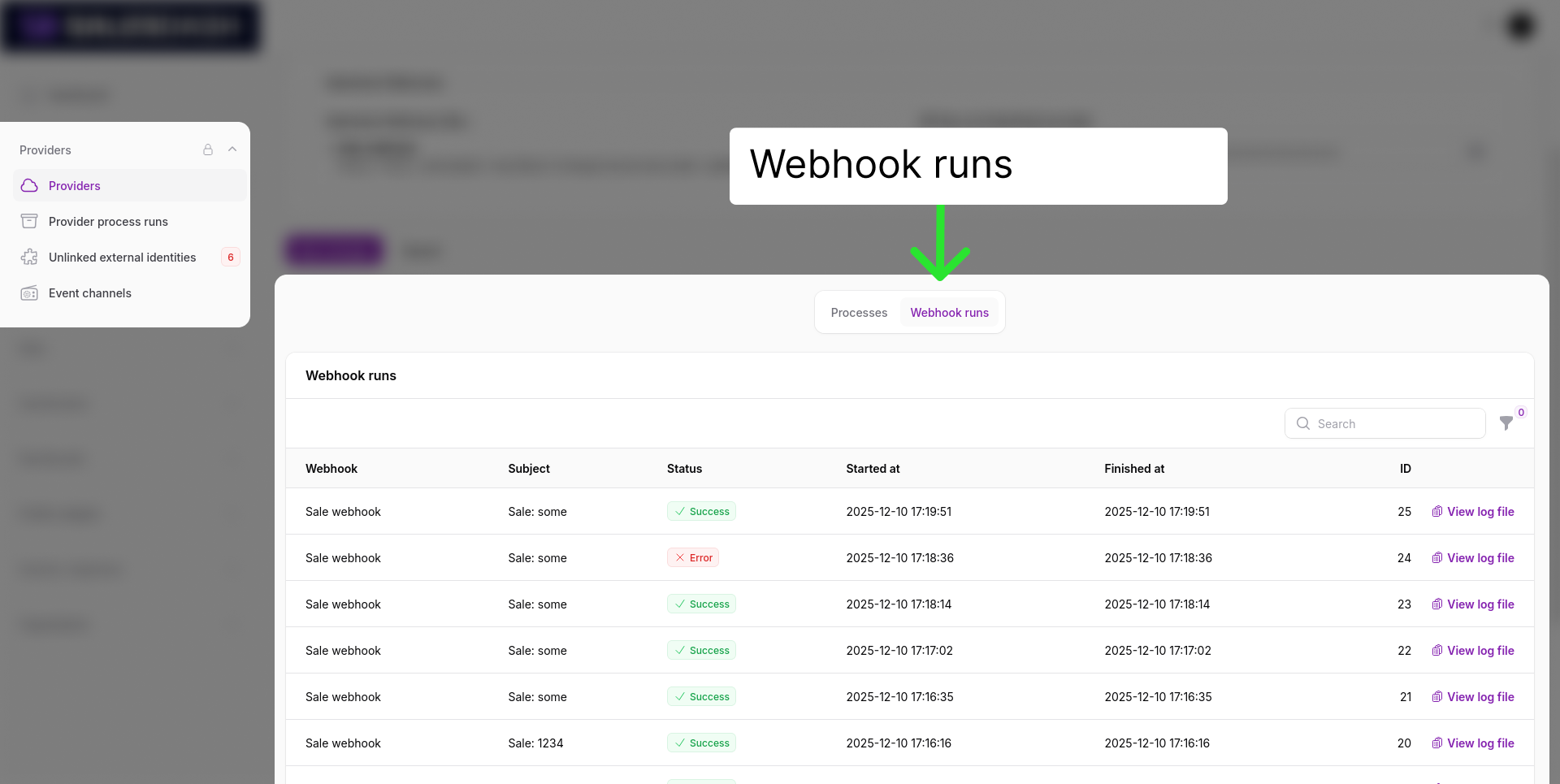
Every call to a webhook will be logged and visible at the bottom of the page:
The API Key shown in the admin should always be used as a bearer token in the header: Authorization: Bearer XXX
Activities are the dynamic record entity in SalesDash. They can represent any activity like a sale, demo planned, email sent or cash collected.
Each activity has a "type", this enables you to create metrics and events based on these activities.
It is generally not recommended to delete activities, that is why there is no endpoint for it.
Instead, when upserting an activity you can overwrite the type. For example: If sale 123 is closed you could upsert "id"="sale 123" and "type"="Sale". When later this sale is canceled, you should upsert "id"="sale 123" with "type"="Sale - Cancelled". That way, a metric counting the activities of type "Sale" will now disregard this record.
To upsert activities, use the Activity webhook specific to your webhook provider. If the Activity webhook is not shown, the activities feature is not enabled in your environment. Please reach out to us to enable it, or discuss the correct approach for your use case.
The call to this URL should be a POST with the correct API Token. The payload can be supplied as either json or form data.
Example payload:
{
  "id": "deal 123 | demo planned", // Required
  "type": "Deal stage: Demo planned", // Required
  "agent_id": "123", // Required
  "agent_name": "Cas", // Optional, enables upserting Agent External Identities.
  "agent_email": "cas@system23.nl", // Optional, enables automatically creating users.
  "agent_team_id": "1", // Optional, enables automatic agent management.
  "agent_team_name": "Team One", // Optional, enables upserting Team External Identities.
  "moment": "2025-12-10 19:00:00", // Required, will be interpreted in Amsterdam time unless a timezone component is given. Time component falls back to 06:00:00.
  "contact_key": "123", // Optional, an identifier used for grouping activities. Do not store personal data of your customers in SalesDash.
  "value": 399.95, // Optional, used for aggregations
}To upsert sales, use the Sale webhook specific to your webhook provider. If the Sale webhook is not shown, the sales feature is not enabled in your environment. Please reach out to us to enable it, or discuss the correct approach for your use case.
The call to this URL should be a POST with the correct API Token. The payload can be supplied as either json or form data.
Example payload:
{
  "id": "123", // Required
  "agent_id": "123", // Required
  "agent_name": "Cas", // Optional, enables upserting Agent External Identities.
  "proposition_id": "123", // Required
  "proposition_name": "Product A", // Optional, enables upserting Product External Identities.
  "sold_at": "2025-12-10 19:00:00", // Required, will be interpreted in Amsterdam time unless a timezone component is given. Time component falls back to 06:00:00.
  "cancelled_at": null, // Optional
  "is_retention": false, // Optional
  "contract_value": 5254.21, // Optional, contract value in euro's
  "contact_key": "123", // Optional, an identifier used for grouping activities. Do not store personal data of your customers in SalesDash.
  "energy_meta": { // Optional, use if this sale represents an energy contract
    "electricity_usage": 5000, // Yearly electricity usage in kWh
    "electricity_return": 0,
    "gas_usage": 5000, // Yearly gas usage in m³
    "connection_count": 2 // Number of "EAN's"
  }
}