English
English

In SalesDash you can set personal goals. You can create one goal per month and one per week, for a single metric.
You can set these goals on your profile page.
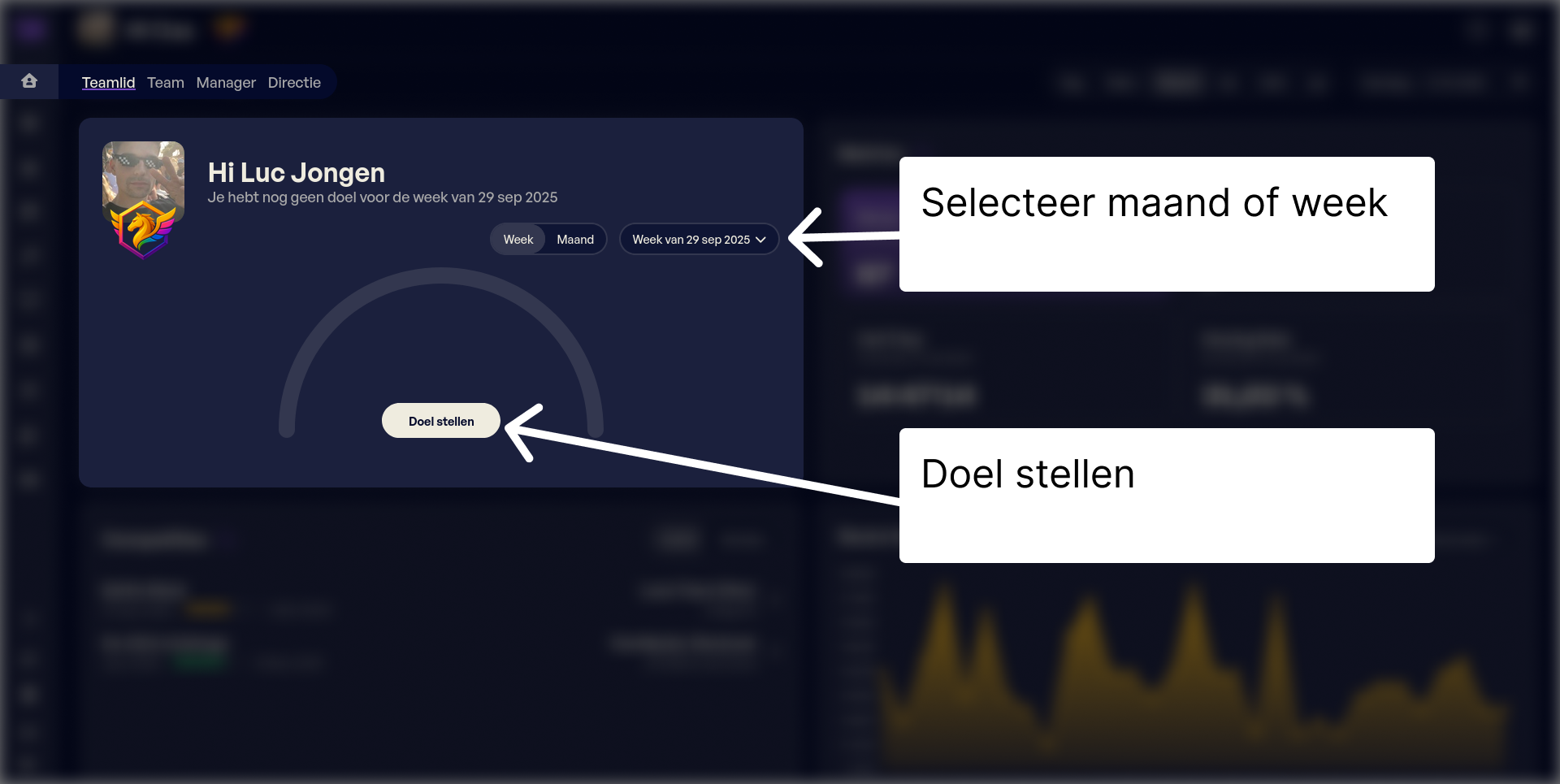
Click Set goal, choose the correct type and value, then click Save.
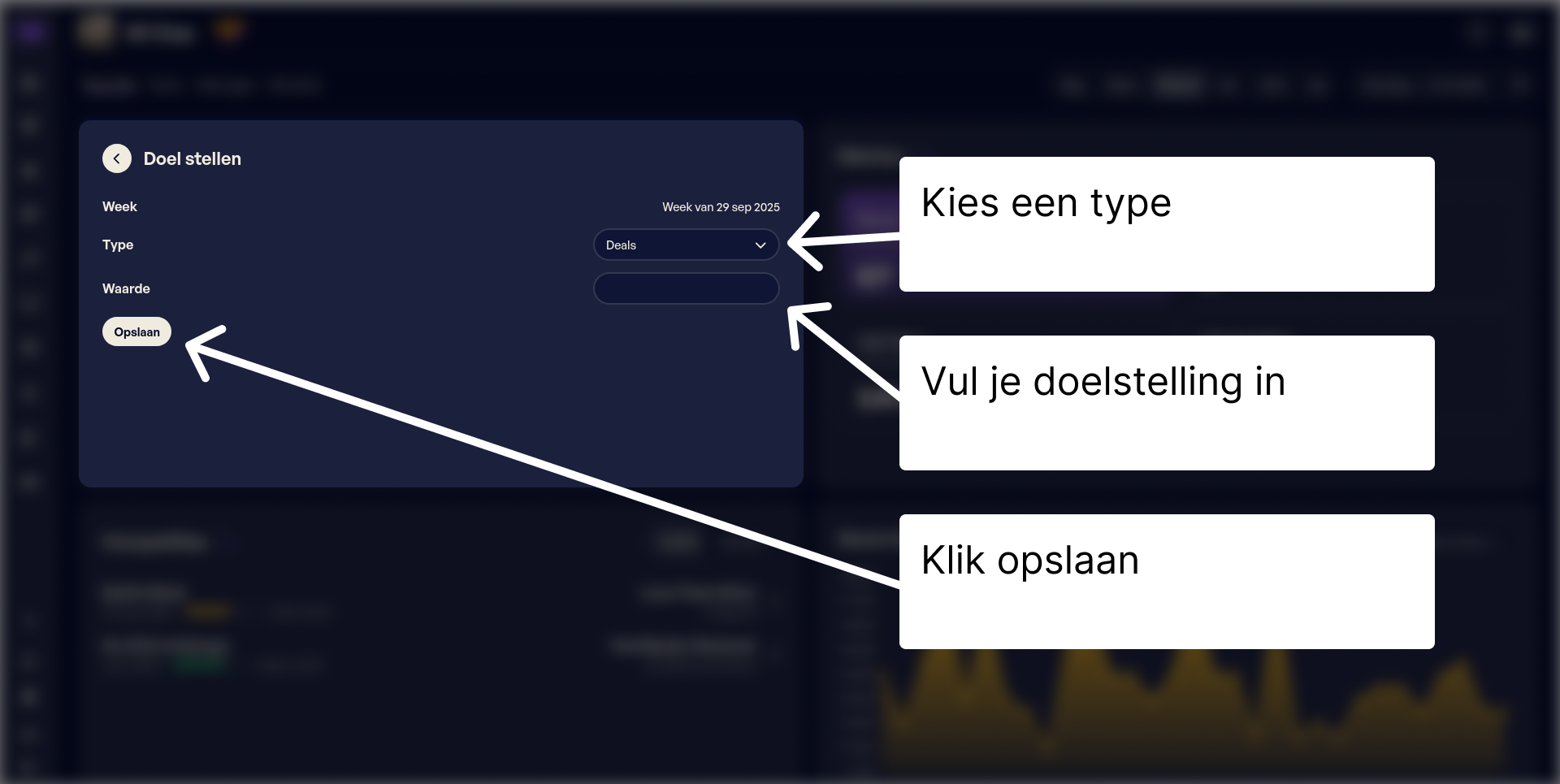
You can adjust the goal within 60 minutes; after that it is fixed. An admin can still modify the goal.
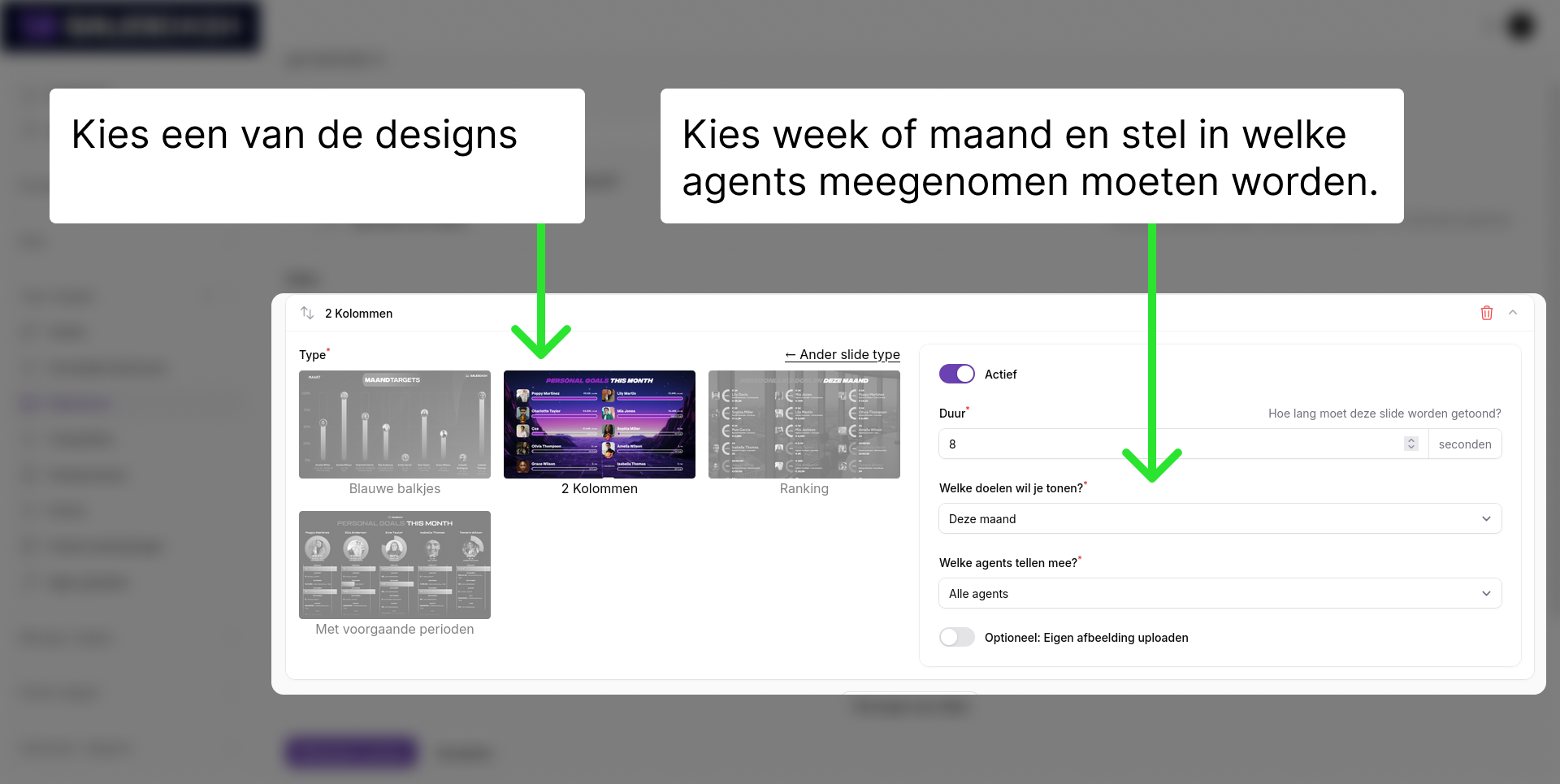
If team members have set personal goals, you can display their progress in the slideshow. This helps create accountability and encourages reaching the goal.
Go to the slideshow where you want to add the slide via Team widgets > Slideshows.
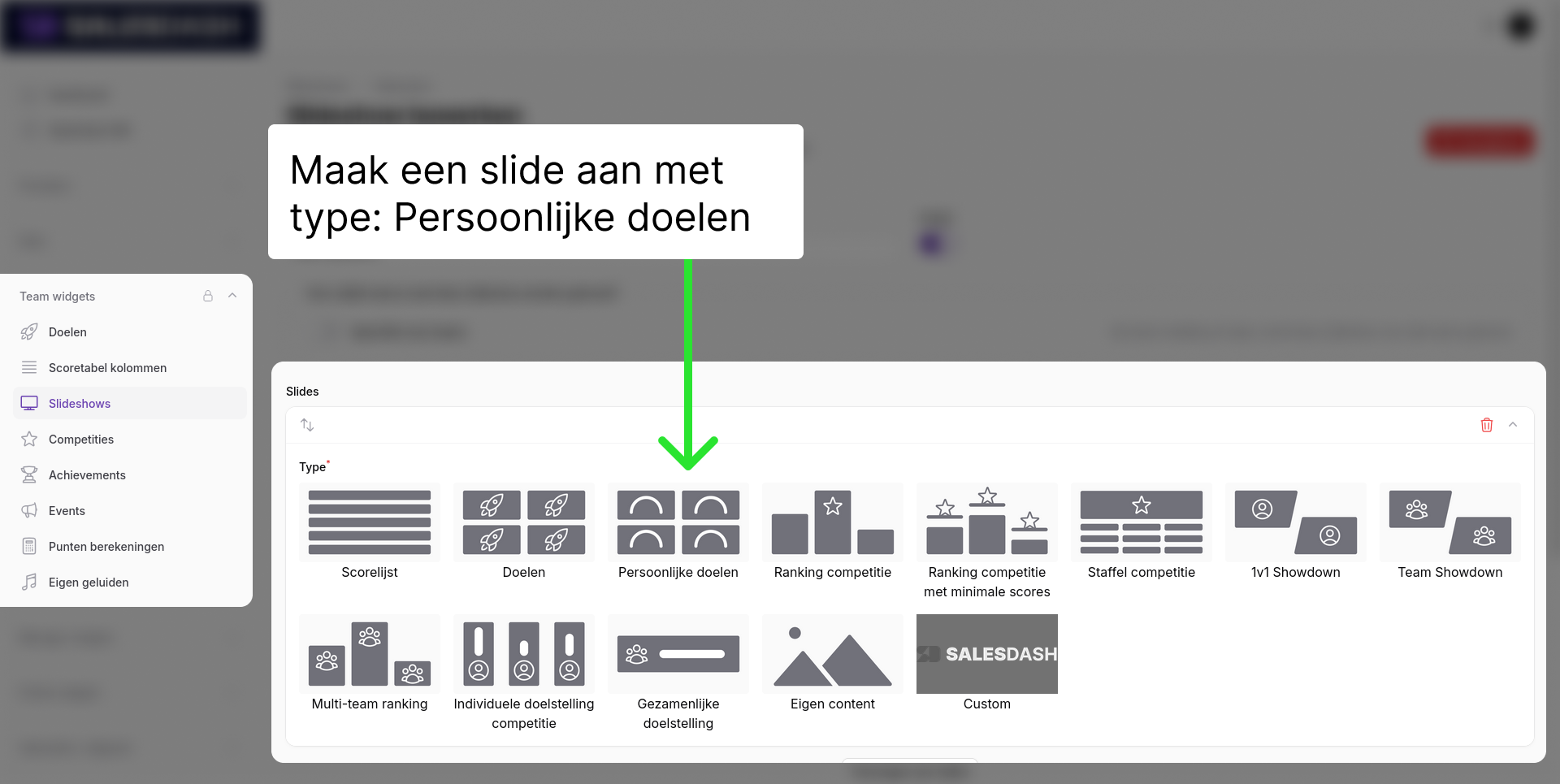
Add a slide with type 'Personal goals'. Choose one of the designs and select month or week goals. You can also select which team members should be included. Usually 'All agents' is fine.