English
English

The data your SalesDash metrics are based on comes from one or more data sources. SalesDash calls these data sources "providers". A provider represents one workspace in an external system, like a CRM, ATS, or power dialer.
If you are new to SalesDash, read the Core Concepts section first — it explains how providers, agents, external identities, activities, and metrics relate to each other.
Every provider creates External Identities based on the users, teams, and projects found in the external system. You need to link these to the corresponding entities in SalesDash — agent identities to agents, team identities to teams, project identities to projects — before data from the external system will be counted in your metrics.
Unlinked external identities appear at Providers → Unlinked External Identities. You can filter by provider or type, search by name, or disable the "ignored" filter to surface previously ignored identities.
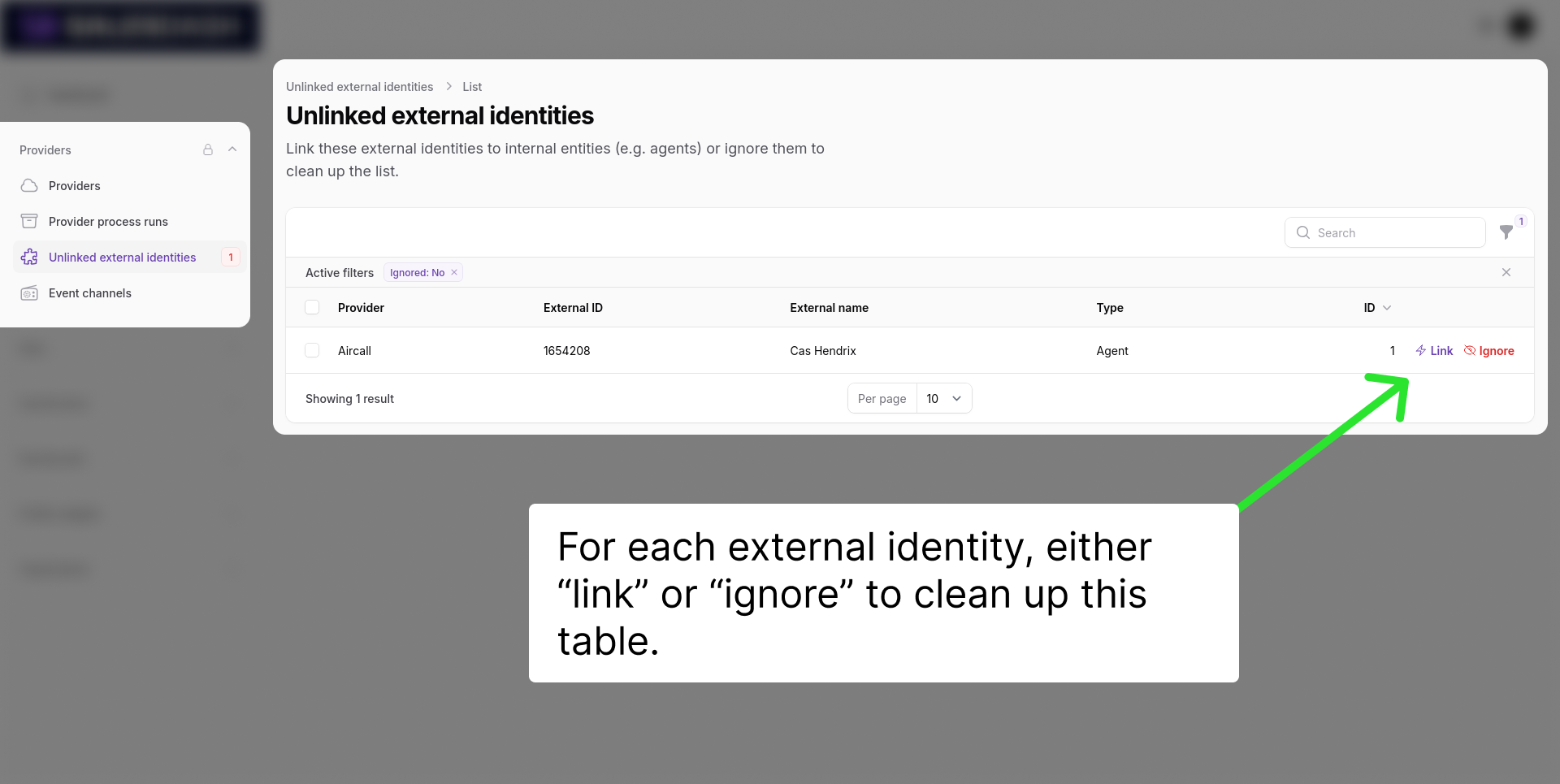
The target entity must exist in SalesDash before you can link an external identity to it. Create agents under Data → Agents, teams under Data → Teams, and projects under Data → Projects.
See External Identities for a full explanation of how they work.
Metrics aggregate the activities created by your providers into numbers — call counts, deal values, conversion rates. They are created under Metrics in your tenant admin.
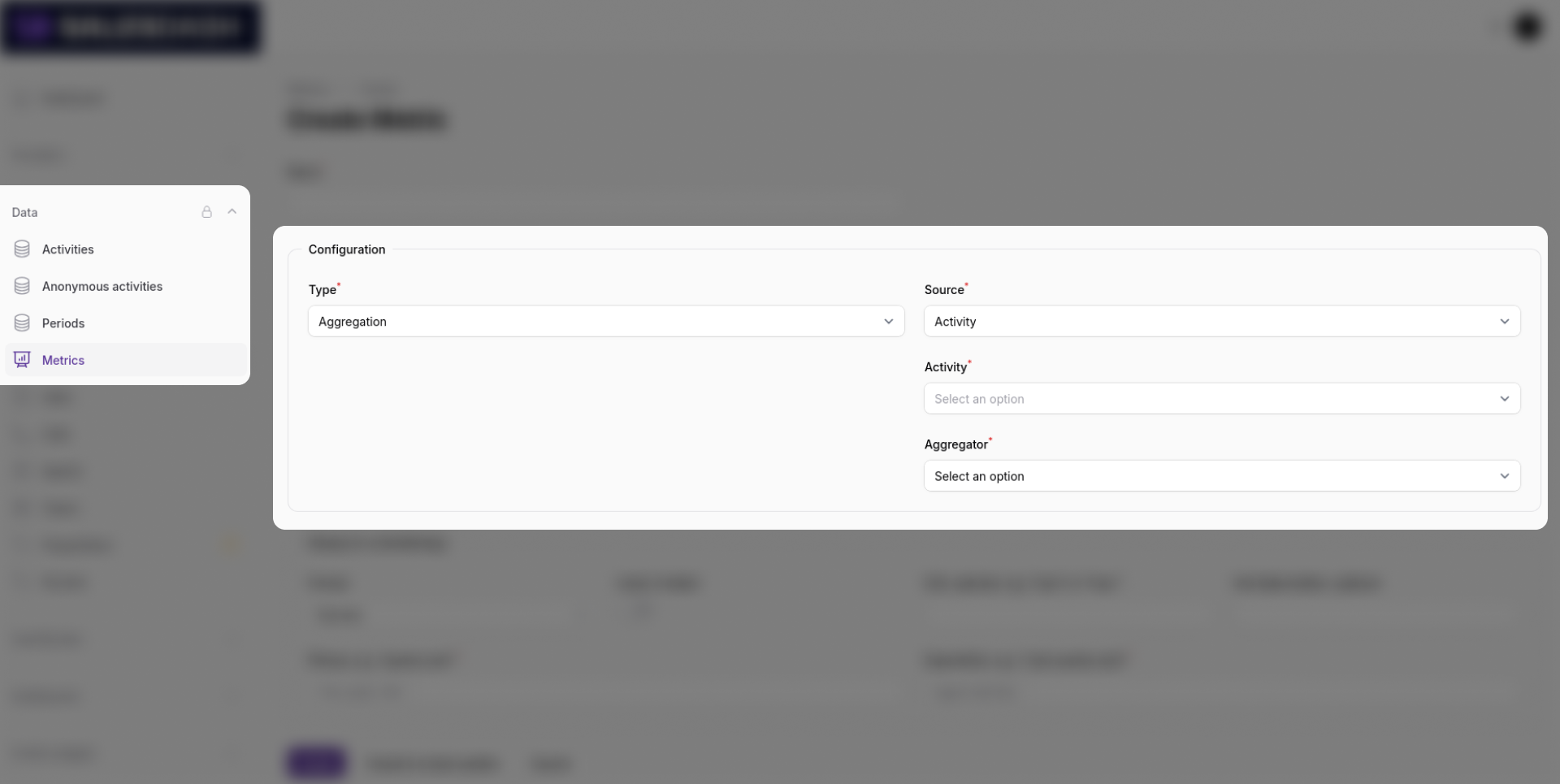
For most use cases, select Aggregate as the metric type, choose your source (Activities, Calls, Sales, or Periods), and pick an aggregator (Count or Sum of value).
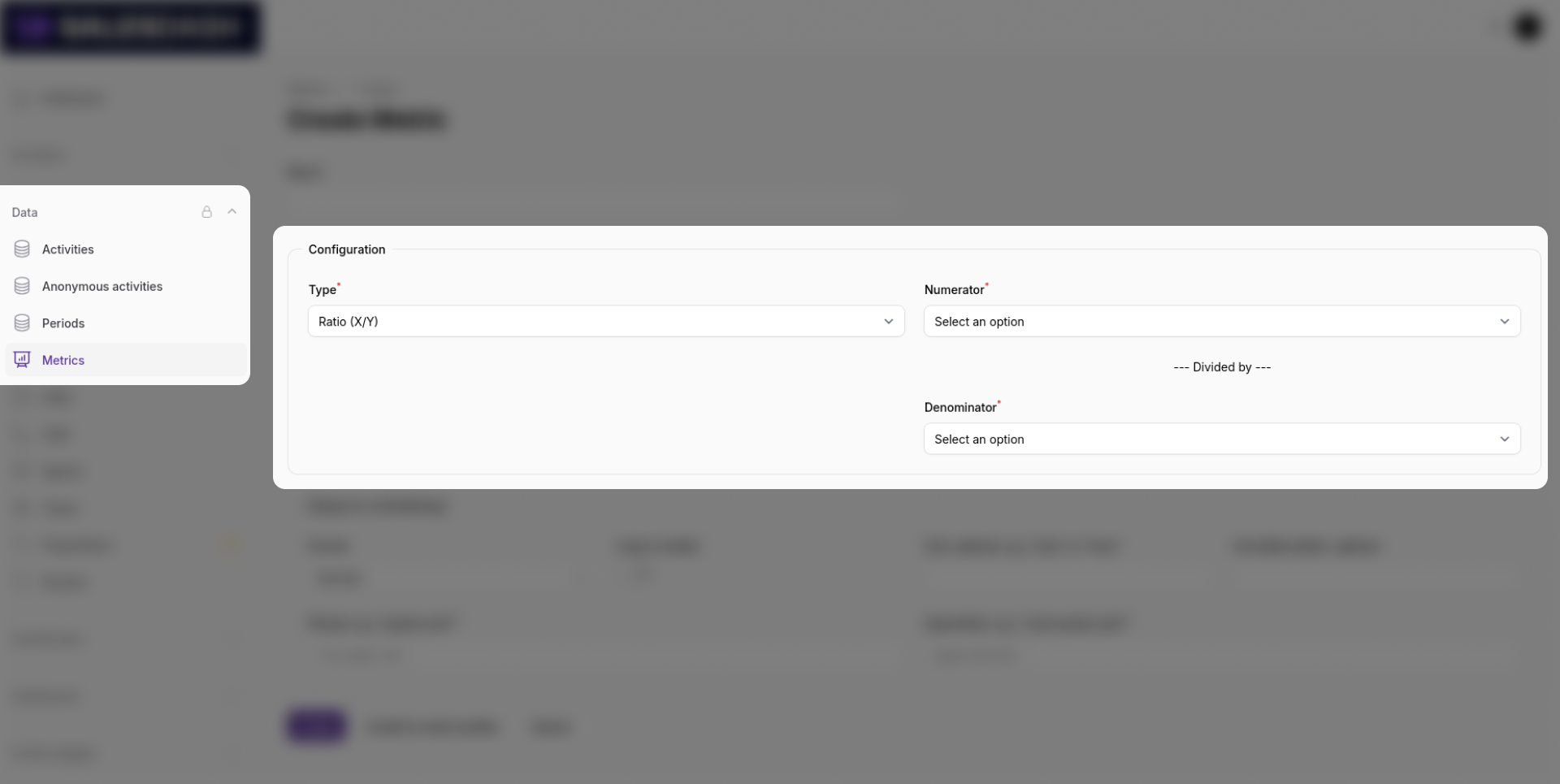
For ratio metrics such as conversion rates, select Ratio (X/Y) and choose the numerator and denominator metrics.
See Metrics for a full explanation of metric types and display configuration.