English
English

In SalesDash you can challenge colleagues to one-on-one competitions, we call these Showdowns.
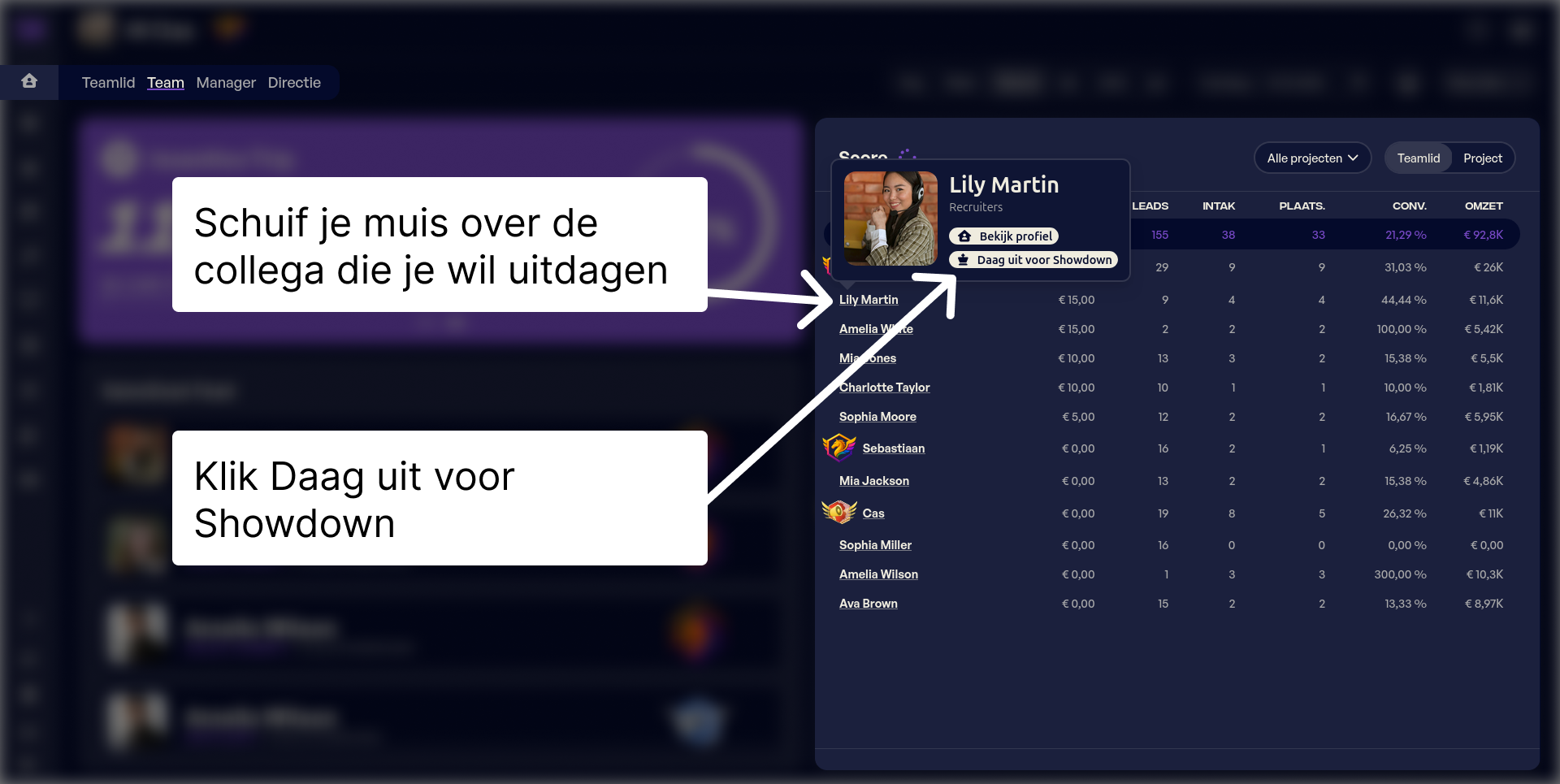
You can start a Showdown from your team dashboard. Hover over the colleague's name you want to challenge and click Challenge for Showdown.
Next you can configure the rules for the Showdown.
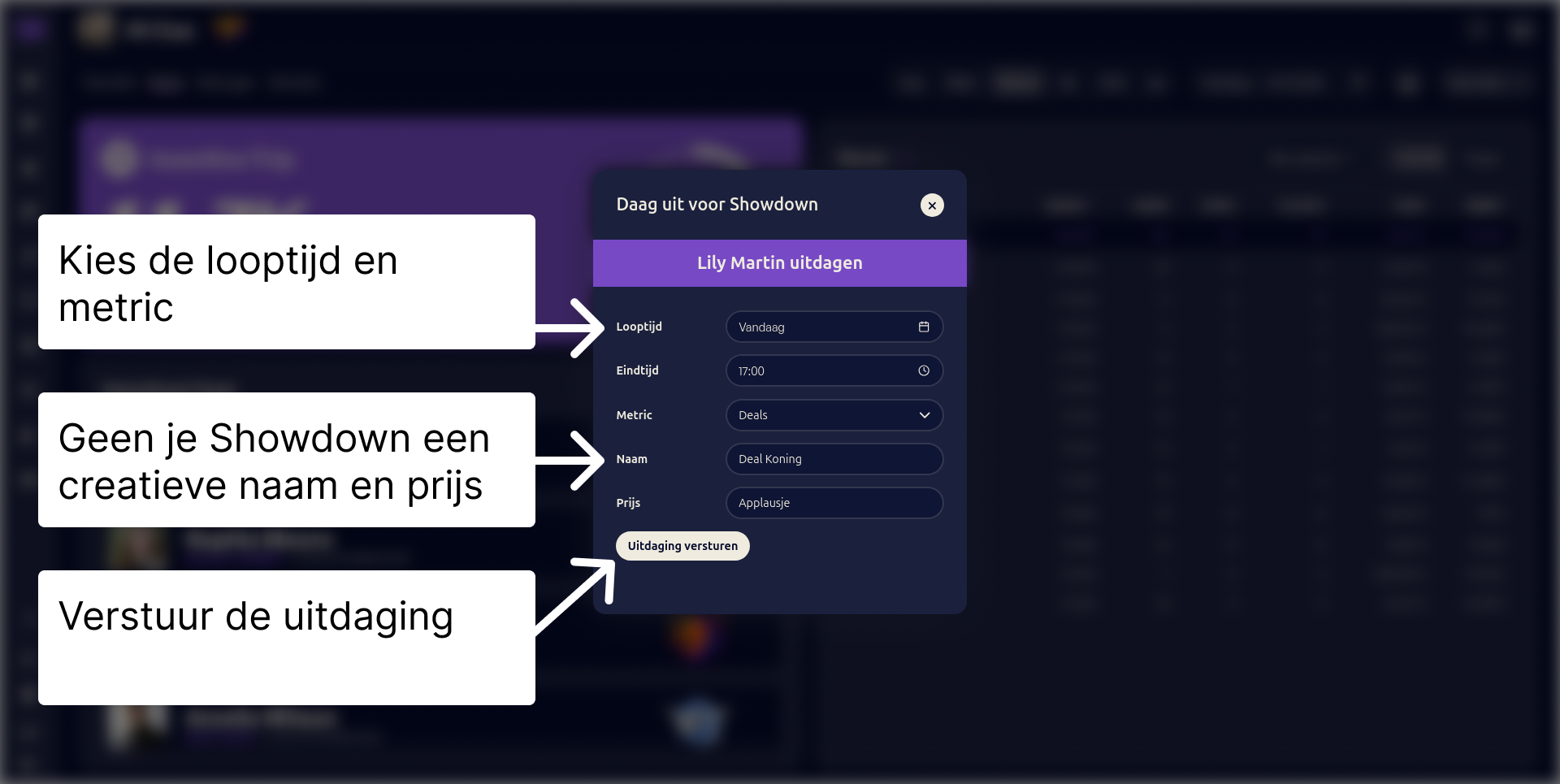
Then click Send challenge. Your colleague will receive an email and has 60 minutes to accept the challenge.
If your colleague follows the button in the email, or logs in to their profile page, they will see the challenge.
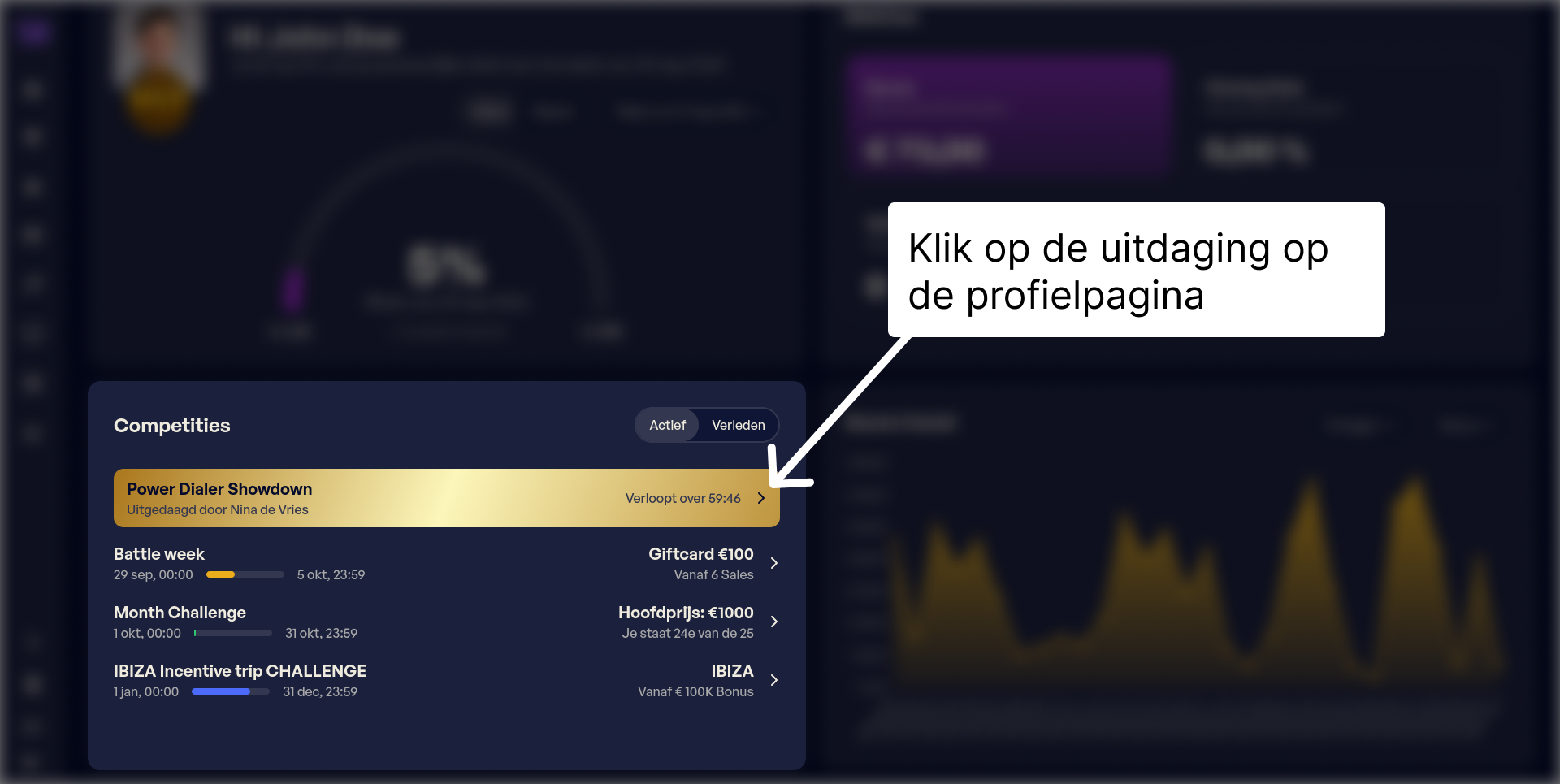
By clicking the invitation, your colleague can accept or decline the challenge.

You can follow the progress of the Showdown on your profile page, or on the competitions page.
Admins can also set up a structured 1v1 competition between two agents, including a defined metric, period, and prize. See 1v1 Showdown in the Competitions section.
A Showdown between two team members is more fun when the whole team can enjoy it. To enable this you can add a slide in your slideshow.
Go to Team widgets > Slideshows in the admin and choose the slideshow you want.
Click Edit and add a new slide.
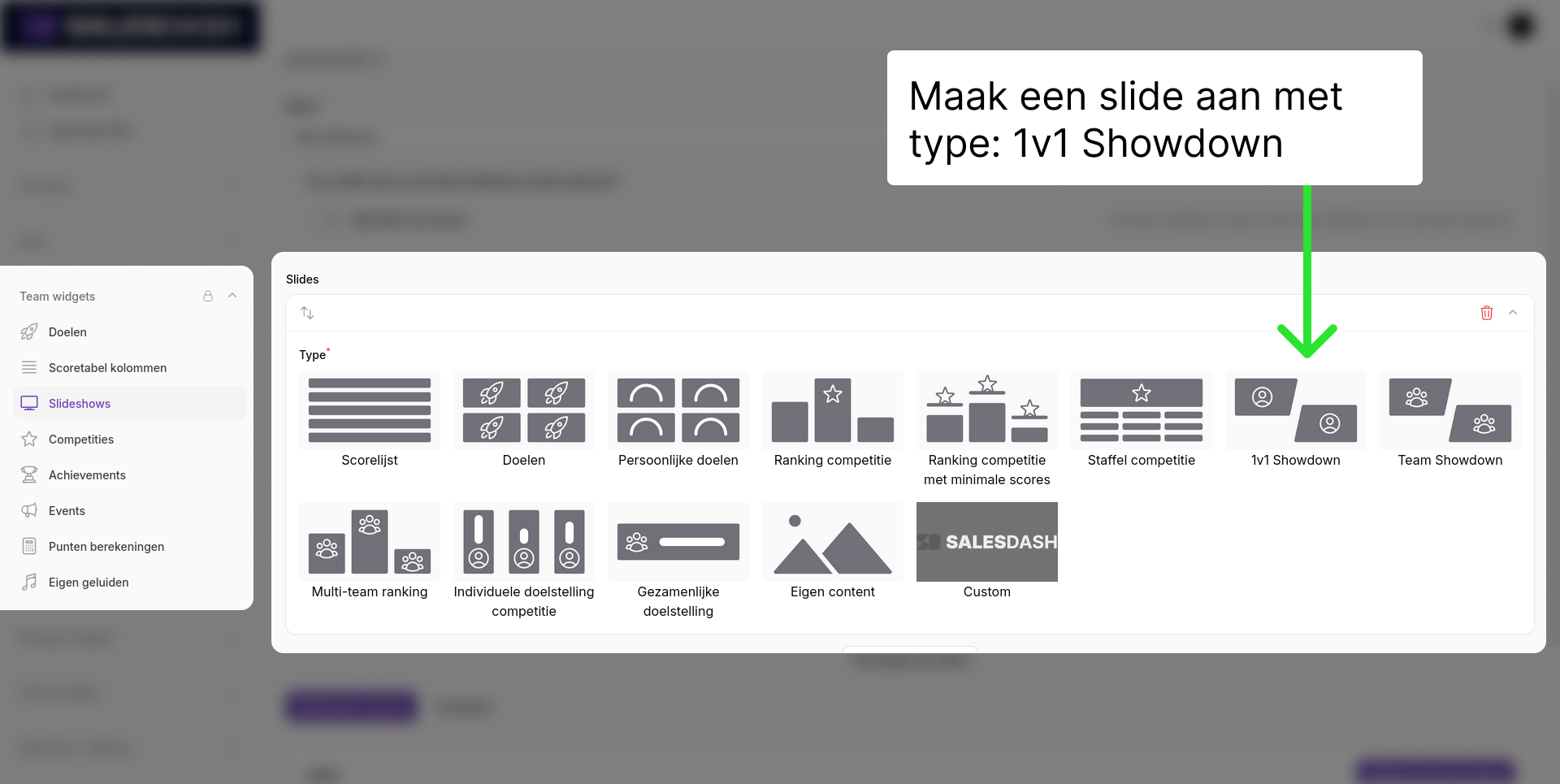
Choose one of the designs and select the correct Showdown.
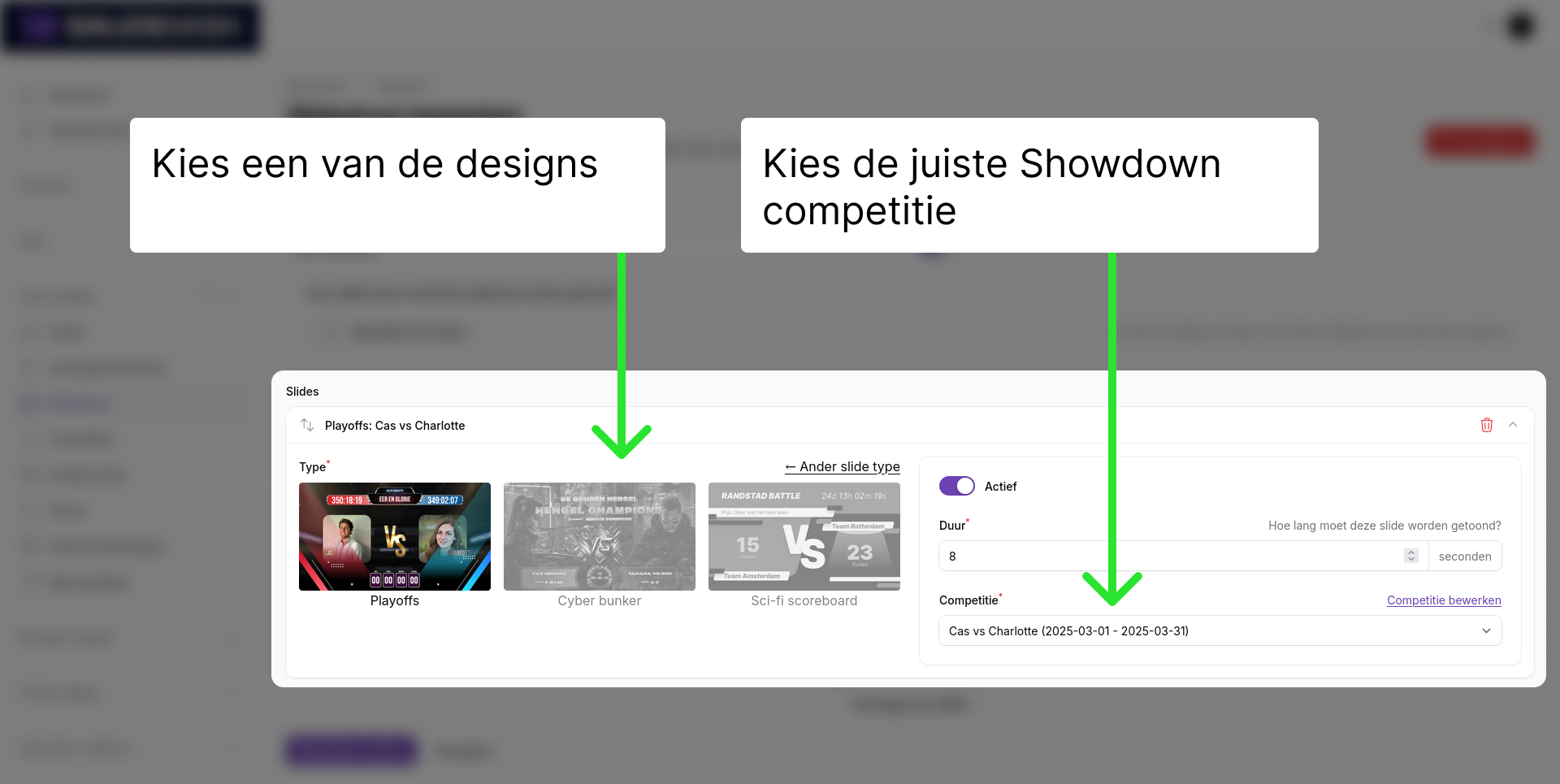
Click Save and the Showdown will appear in your slideshow.