English
English

SalesDash can connect to your Voys account to track call data in your dashboards and gamification metrics.
Before starting, please read the general principles
Go to Providers > Providers in the SalesDash admin and create a new provider. Choose "Voys" as the type.
After saving, the webhook URL will be shown. Copy it — you will need it in the next step.
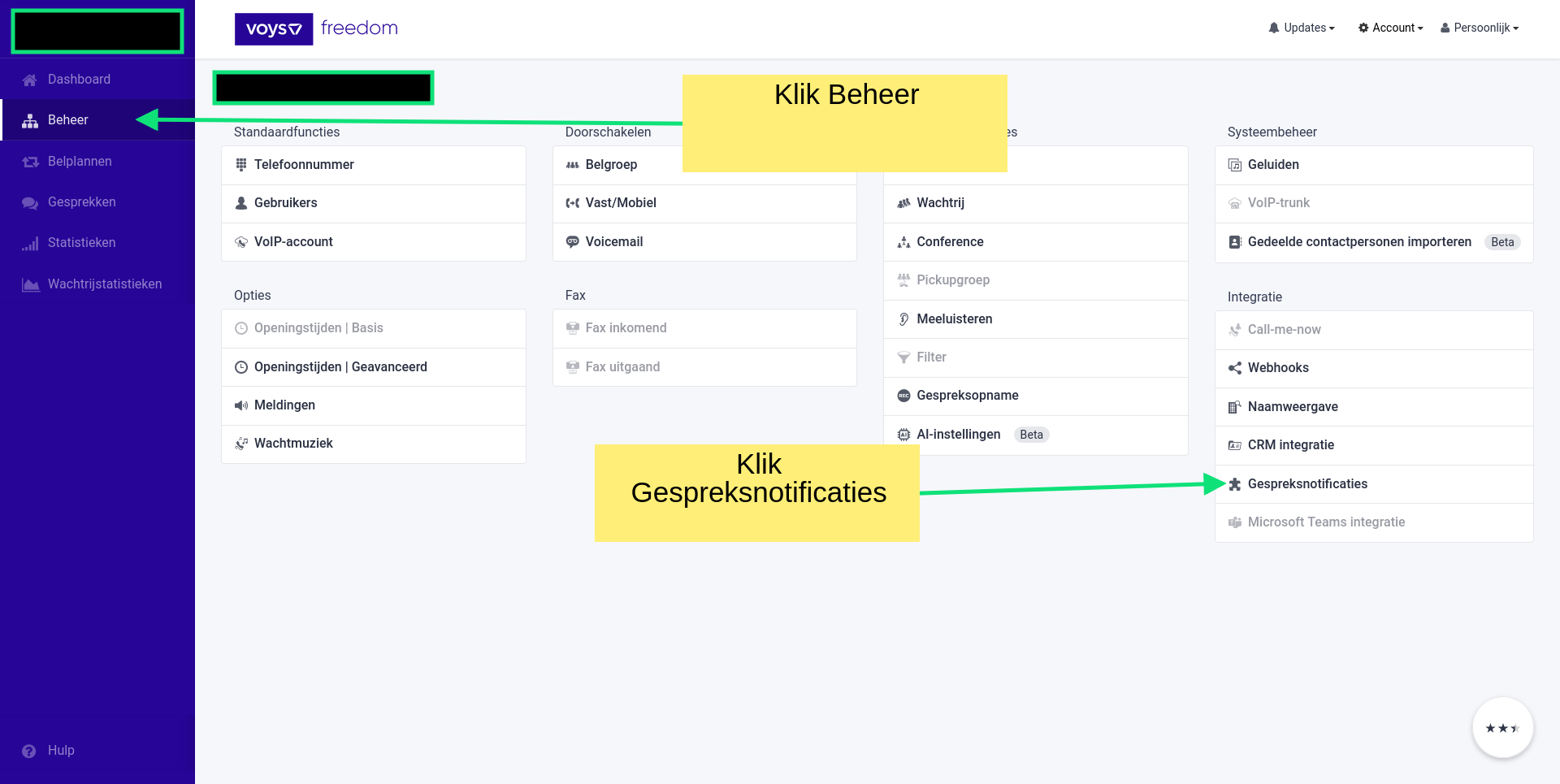
In your Voys admin, go to Beheer and click Gespreksnotificaties under Integratie.
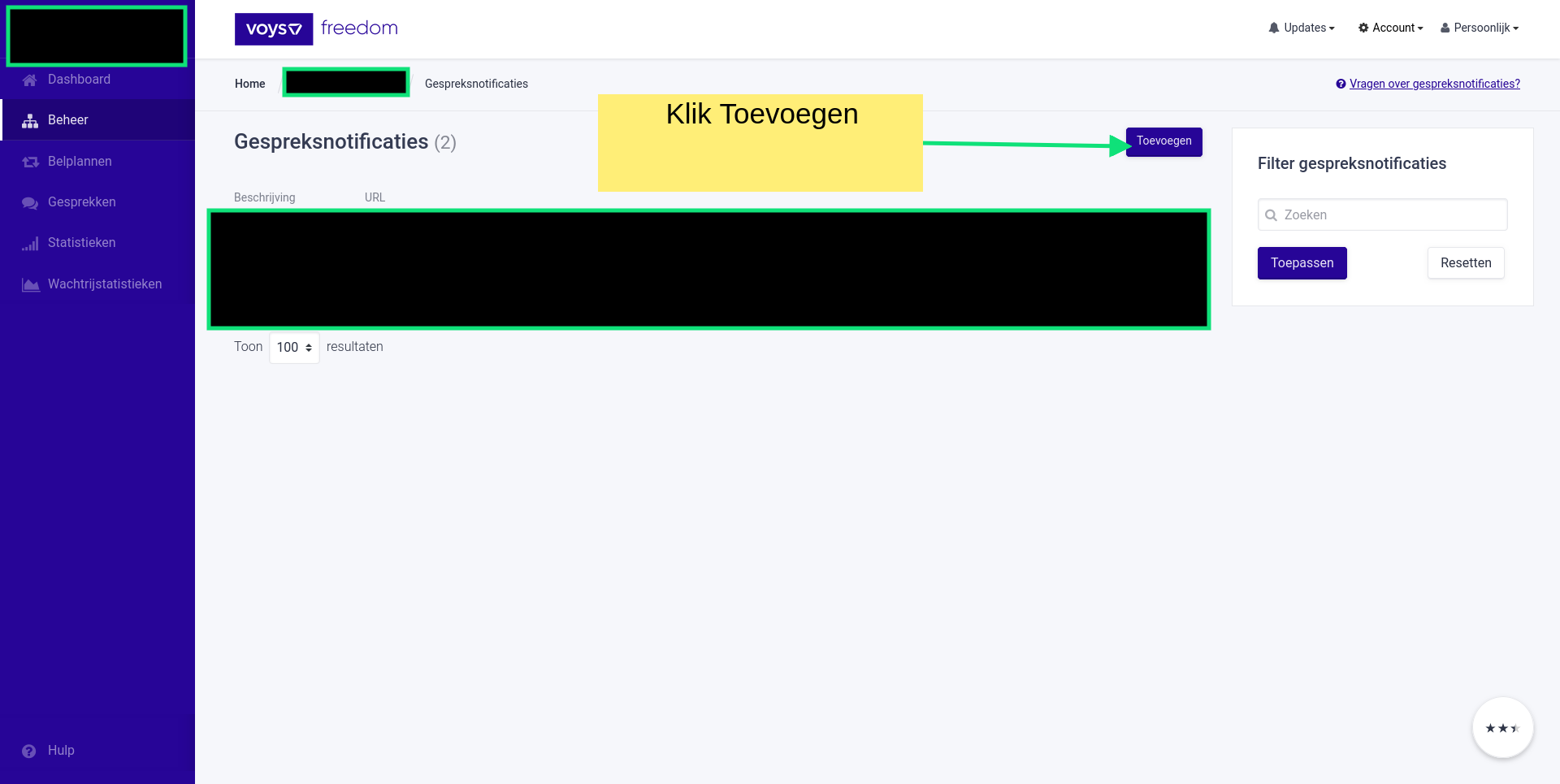
Click Toevoegen.
Fill in the form:
SalesDashAangepast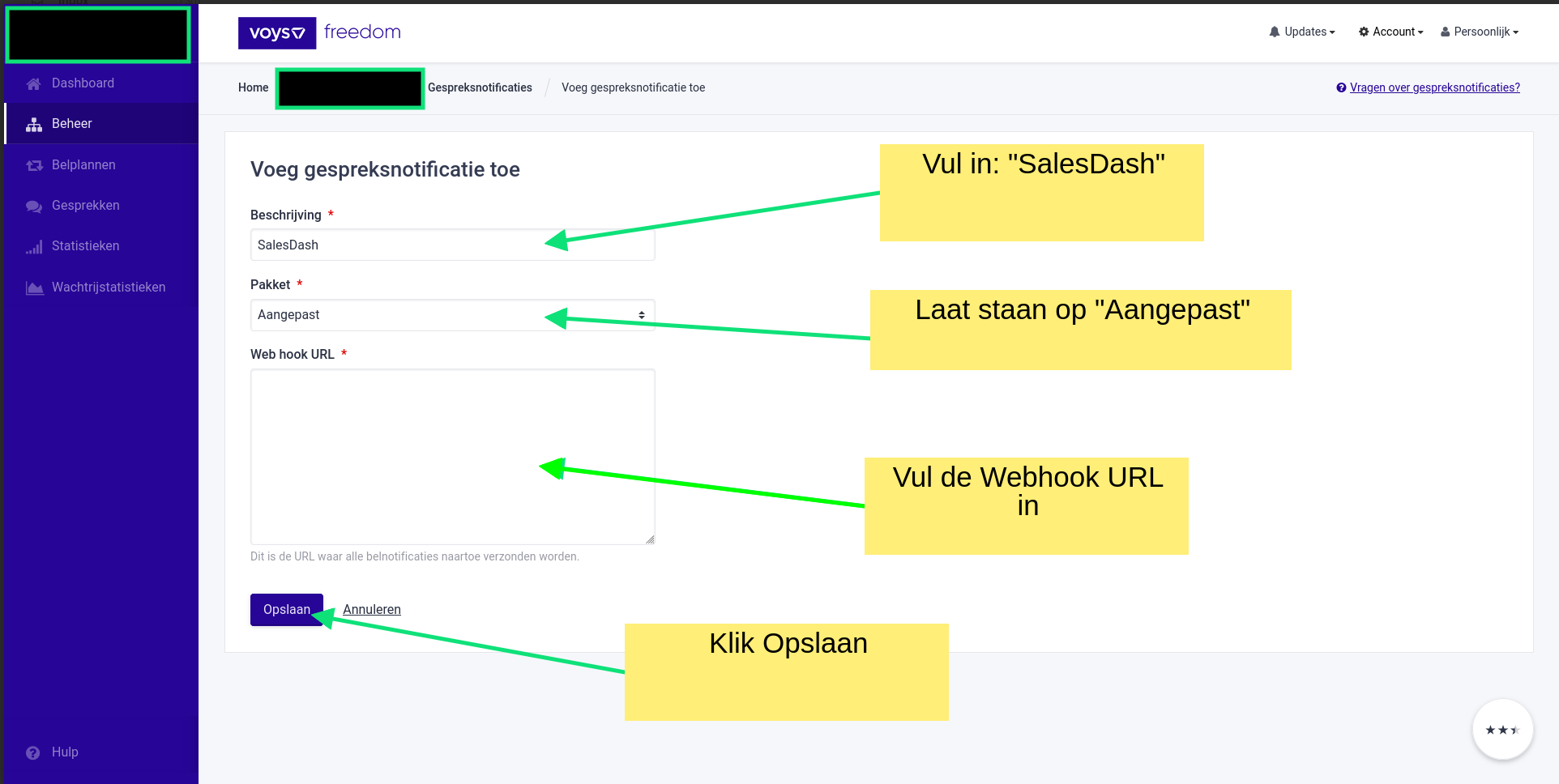
Click Opslaan.
Calls will now sync to SalesDash. You can see them at Data > Calls in the admin.
Now you can choose metrics like "Call count" and "Call time" when configuring dashboard widgets or gamification elements.